Comparison
Spreadsheets vs a reservation system. When to switch.
When Excel and email stop working for a tour operator or DMC, what a reservation system changes, and five signs that it is time to switch.
- Where a booking lives
- In one record with every service attached
- Changes
- Made once, seen by every department
- Rooming list
- Part of the booking
- Invoice
- Generated from the booking
Shown: Reservation system. The full table is below.
The short answer
Spreadsheets work while one person can hold every booking in their head. Once reservations, operations and finance are handled by different people, each keeps their own copy, and the copies drift apart. A reservation system replaces the copies with one booking record that every department works from.
Side by side
Spreadsheets and email vs Reservation system
| Spreadsheets and email | Reservation system | |
|---|---|---|
| Where a booking lives | In a sheet, an inbox and a chat thread | In one record with every service attached |
| Changes | Each copy updated by hand | Made once, seen by every department |
| Rooming list | A separate file, re-sent on each change | Part of the booking |
| Invoice | Typed from the booking details | Generated from the booking |
| Supplier costs | Matched to bookings at month-end | Recorded on the booking when it is confirmed |
| Cost | Free to start, paid for in hours and errors | A subscription and a setup period |
| Flexibility | Unlimited: any layout, any formula | Works the way the system is designed |
Where spreadsheets are the right tool
A new operator with a handful of departures a month does not need software. A spreadsheet is free, everyone can use it, and it bends to any process. For costing a new programme or planning a season it remains the best tool there is, even in companies that run a full system.
Where they break
They break at the hand-over. The reservation agent’s sheet is complete, but operations works from an email sent last week, and finance builds the invoice from a third version. Nobody made a mistake, and the guests still arrive to find a twin room where a double was promised. The cost is not the spreadsheet. It is the retyping between copies.
How to choose
Five signs you have outgrown spreadsheets.
One of them is normal. Three or more means the copies are costing more than a system would.
The same booking is typed more than once
Reservations enters it, operations re-enters it for suppliers, and finance types it again for the invoice.
Month-end takes days
Supplier invoices are matched to bookings by hand, by guest name and date.
One person understands the master sheet
When they are away, nobody is sure what is confirmed.
The owner has to ask to know
There is no way to see bookings, balances and margins without calling a meeting.
Partner agencies book by chat
Requests arrive by message and email, and some are never recorded at all.
Enity B2B · Reservation Management
What changes with Enity B2B.
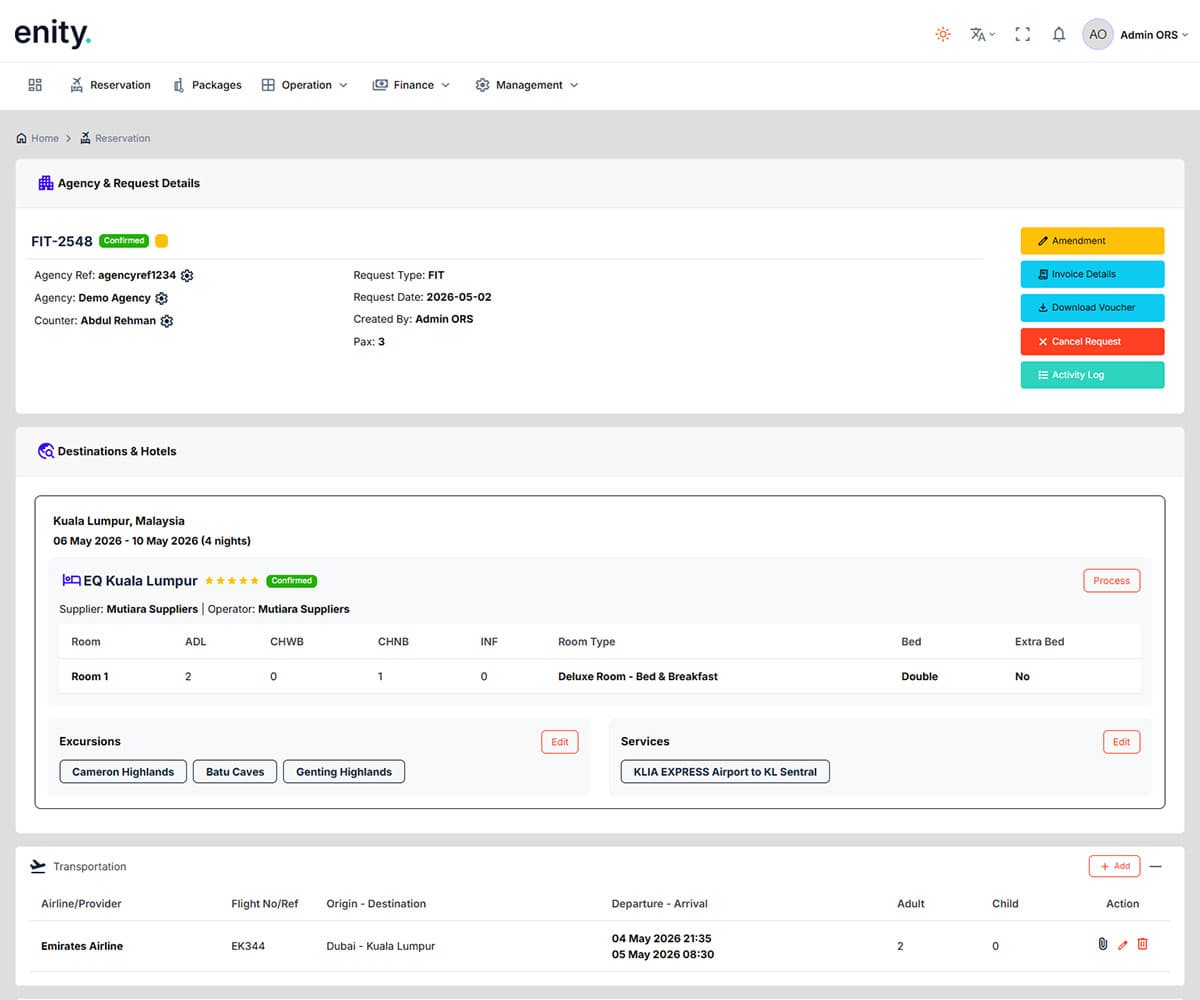
Enity B2B connects reservations, operations, finance and management in one system. When a booking is confirmed, operations already has it and a financial record is created automatically. Your system goes live within 72 hours of the setup session, with live training for each department.
- Rooming lists, passports, and travel documents captured at the booking stage
- Invoices generated automatically and linked to the booking
- Supplier costs recorded against the booking they belong to
- Role-based permissions by department, branch, or function
FAQ
Questions people ask about this.
Can a tour operator run on Excel?
Yes, at small scale. A spreadsheet works while one or two people handle every booking from request to invoice. It stops working when departments hand bookings to each other, because each hand-over creates another copy to keep in step.
How long does it take to move from spreadsheets to a reservation system?
It depends on the system. With Enity B2B, setup and training take three to five days, the system goes live within 72 hours of the setup session, and full team adaptation typically takes two to three weeks.
Do we have to stop using spreadsheets completely?
No. Spreadsheets stay useful for analysis and planning. What moves into the system is the booking itself: the services, the passengers, the costs and the invoice, so that there is one version of each.
Terms used on this page
Read the definitions.
Reservations
Rooming list
A rooming list is the document that tells a hotel who is staying in which room: each guest’s name, the room type, who shares with whom, and the arrival and departure dates.
Pricing and finance
Supplier settlement
Supplier settlement is the process of checking what a travel company owes each supplier, such as hotels, transport companies and guides, against the services actually booked and delivered, and then paying it.
Pricing and finance
Travel back office
A travel back office is the part of a travel business, and the software behind it, that handles what happens after a sale: invoicing, client payments, supplier payments, accounting and reporting.
Book a demo and explore how.
See how your entire operation can run in one clear system.